 Ask Elsie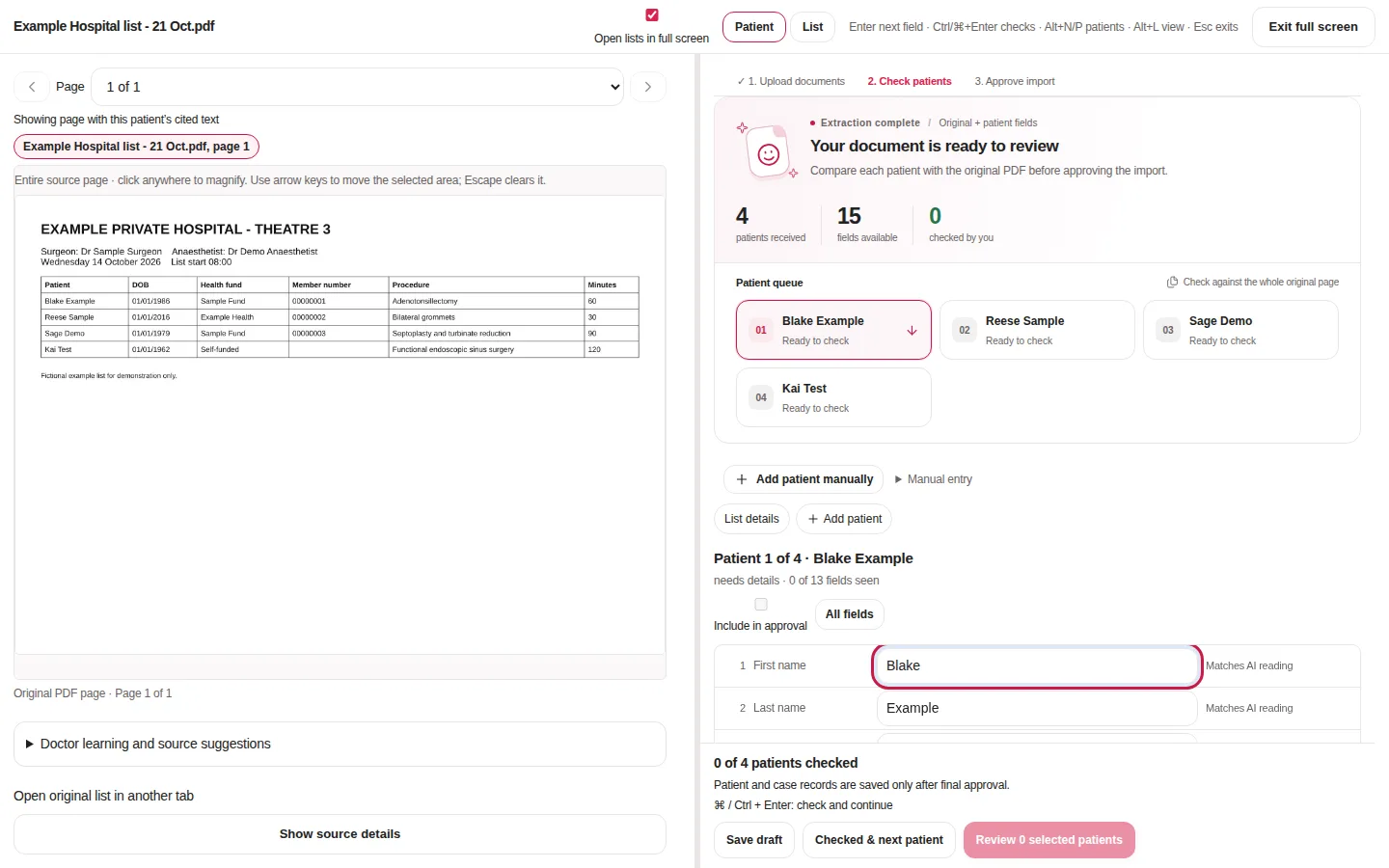
Any list, from anywhere
- PDF, Word, CSV and plain-text lists
- Lists sent by email, opened straight into review
- Lists that repeat weekly, fortnightly or monthly
Start checking straight away
Patients appear one by one as Elsie reads the list, so your team can start on the first patient before the whole list is finished.
The original page sits beside every field, with a magnifier for small print. Each value can be checked against the source and corrected in place.
Matched to what you already have
Ask Elsie matches existing patients, surgeons and hospitals, so a returning patient isn't created twice and each list lands on the right day and hospital.
Your team approves every patient
Nothing is saved until a person approves it. If the document can't be read, your team can enter patients by hand and keep the same review and approval steps.
Once approved, patients appear on the theatre calendar in their time slots, coloured by payment status.
Questions
- Does Ask Elsie save patients automatically?
- No. Every patient is checked against the original list and approved by a person before anything is saved.
- What if the hospital list is hard to read?
- You can enter or correct any patient by hand beside the original page, with the same approval steps.
- Does my calendar app see patient details?
- No. Lists synced to iCloud or Google Calendar carry list times only, never patient details.